New v1.2 · Buddy Studio got a glow-up

Your laptop deserves a buddy.

A cute pet that lives on your Windows screen – it reminds you to drink water, take breaks and charge your battery, and it swings, plays and rides a bike around your desktop.

FreeWindows 10 & 11Works offlineNo account
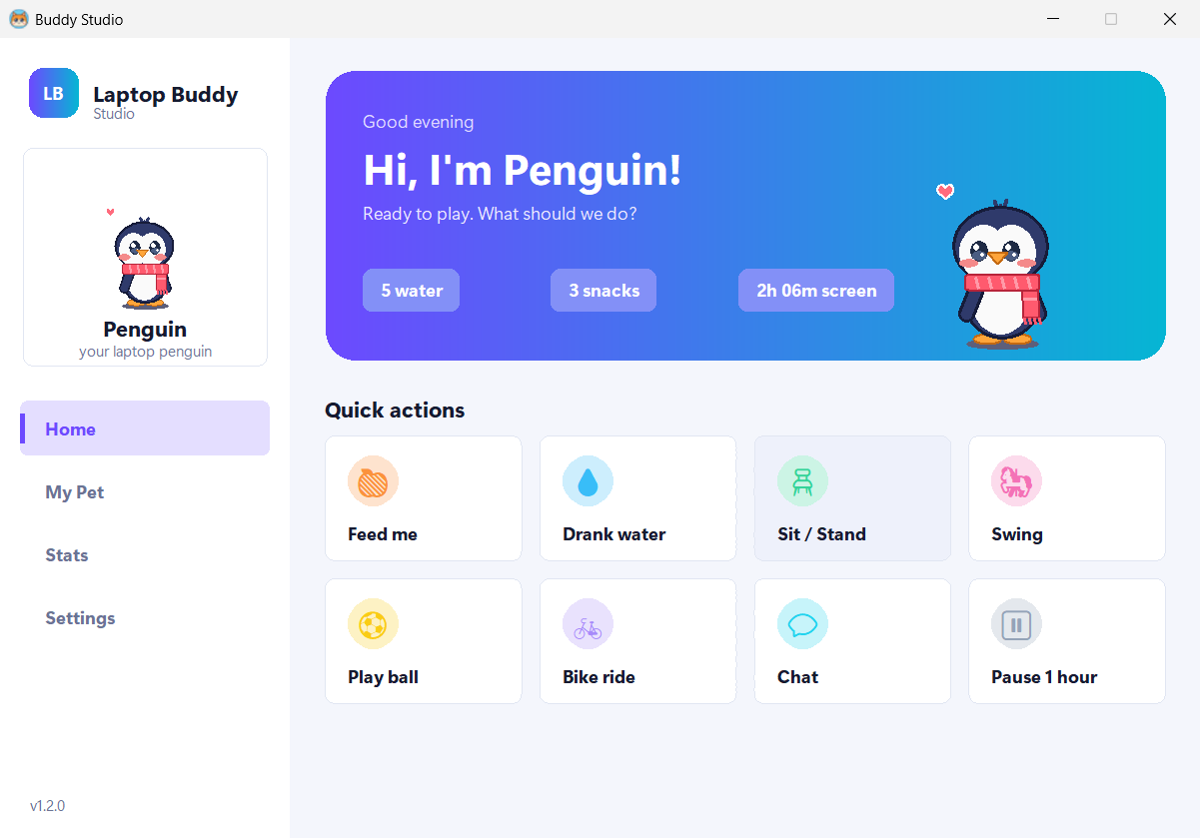
Buddy Studio home screen with a live penguin and quick actions
💧 Water time!Every 45 min, your rules
🔋 Battery 20%Plug in, bro!

Features

Helpful when you need it.
Adorable all the time.

Everything a desktop pet should do – and a few things you didn't know you needed.

💧

Water & break reminders

Your buddy waves at you with a glass of water, and tells you to stretch after an hour of nonstop screen time. Step away and it resets.

Bro. Water. 💧
🔋

Battery buddy

Warns you at 20% and 10%. Plug in and it naps in its bed – unplug and it wakes up.

💬

Chat & talk

Type or speak with the mic. It answers out loud and remembers your name.

🍎

Feed & play

Drop snacks from the sky, push it on a swing or watch it bounce a ball.

🚲

Bike rides

Rides around all four corners of your screen – rocket boost up, parachute down.

📊

Your day at a glance

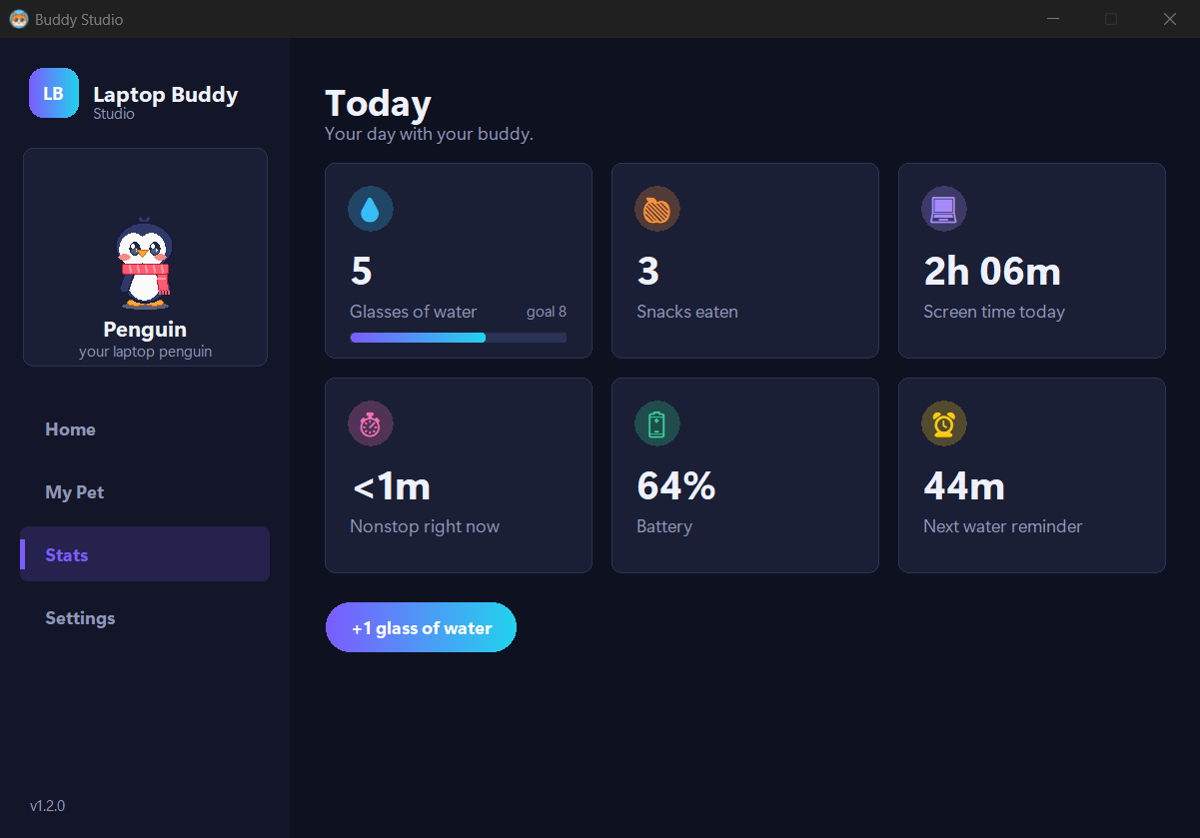
Water, snacks, screen time, nonstop time and battery – all in Buddy Studio.

🔒

Private by design

Runs fully on your laptop. No account, no tracking – your stats never leave your computer.

Pets & skins

Pick your pet. Make it yours.

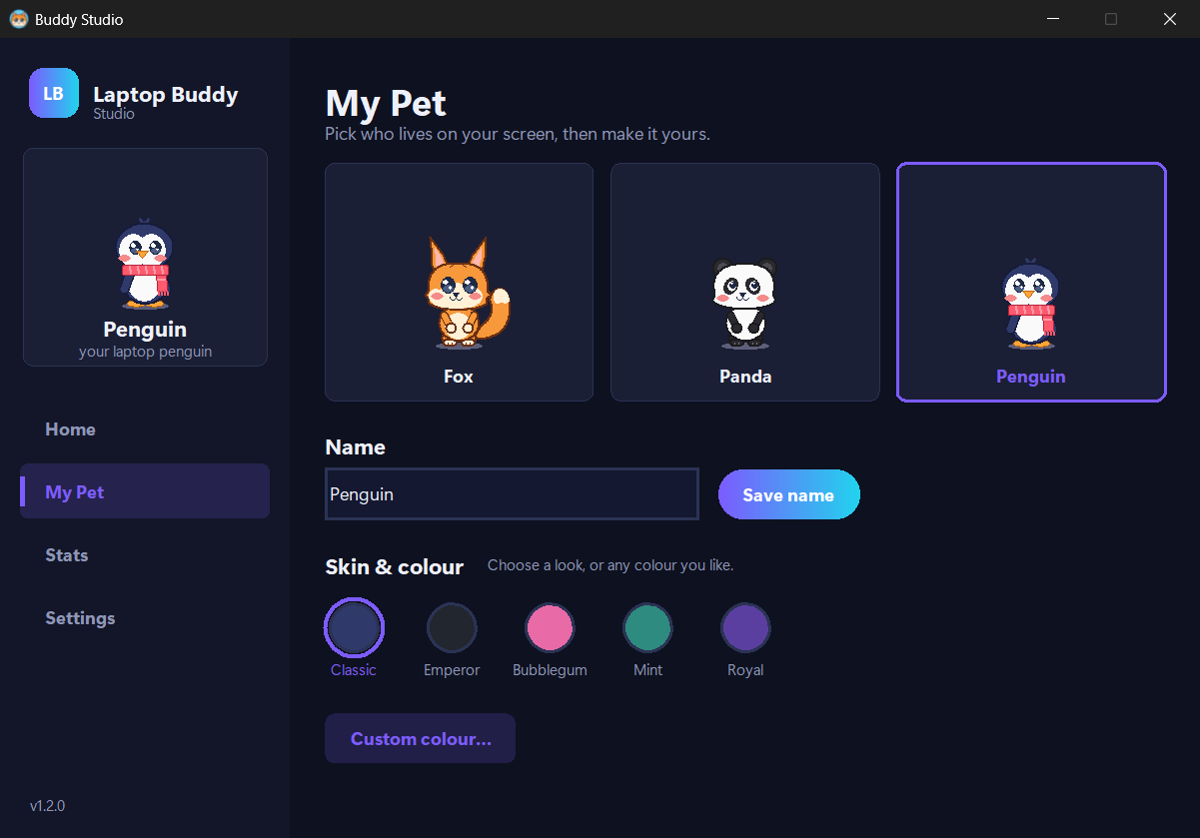
Three pets, 15 skins, any colour you like – and a name of your choice.

Classic fox

Classic Fox

Fluffy tail, big heart. Loves apples and cookies.

Sakura fox

Sakura Fox

One of 5 skins – or open Buddy Studio and pick any colour with the custom colour picker.

Buddy Studio

Tap your pet. Open its world.

A modern control centre with dark and light mode – everything your buddy can do, in one place.

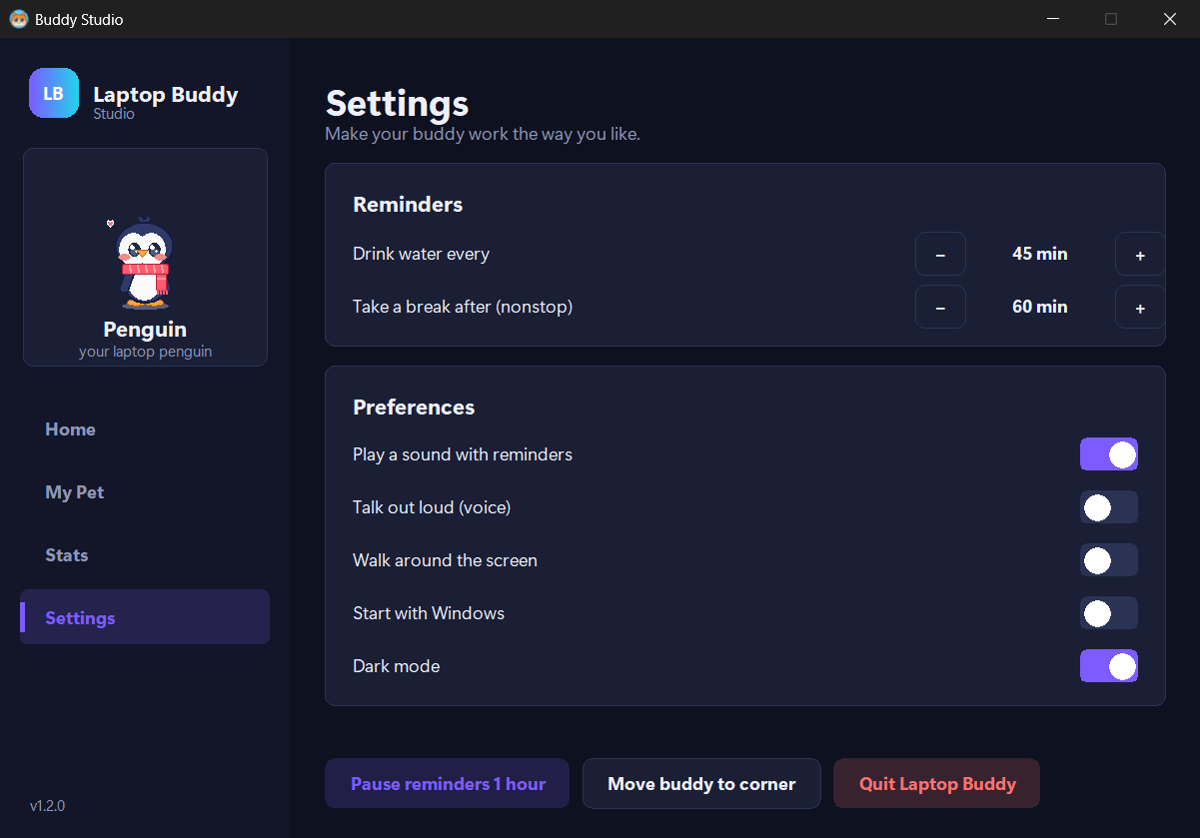
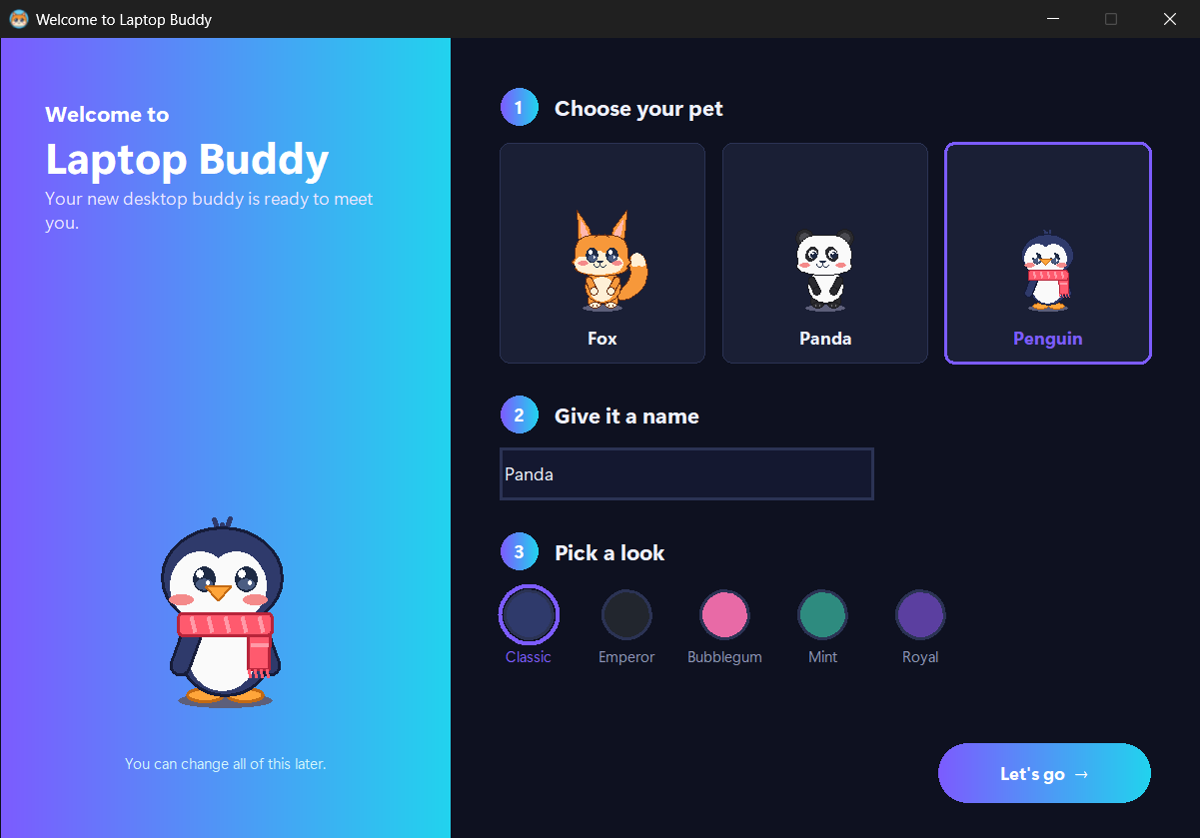
Home: live pet and quick actions My Pet: choose pet, name and skin Stats: water, snacks, screen time and battery Settings: reminder times and switches Welcome: set up your buddy in three steps

Install

Ready in 30 seconds.

No Python, no admin rights, nothing else to install.

Download

Get LaptopBuddySetup.exe (about 10 MB).

Open it

Double-click the file. If Windows says "Windows protected your PC", click More info → Run anyway.

Meet your buddy

Click Install, then pick your pet, its name and its look. Done!

Why the Windows warning? Laptop Buddy is a new, free app that isn't code-signed yet, so SmartScreen doesn't recognise it. It installs only for your user account and never needs admin rights.

FAQ

Questions

Is it free?

Yes, completely free.

Does it send my data anywhere?

No. Everything runs on your computer and works offline. Your stats and pet names are saved only on your laptop. The mic only listens after you press the Mic button, using Windows' built-in speech recognition.

How do I use it?

Click your pet to open Buddy Studio – feed it, play, chat, change its pet, name, skin and colour, check your stats and set your reminders. Drag it anywhere. Right-click for the quick menu.

I already have an older version. How do I update?

Download the new file, open it and click Update. Your pet, names and stats are kept.

How do I uninstall it?

Pick whichever is easiest – all three do the same thing:

1. In the app: click your pet → Buddy Studio → Settings → Uninstall app (or right-click the pet → Uninstall Laptop Buddy…).
2. Windows Settings: Settings → Apps → Installed apps, search Laptop Buddy, click ⋯ → Uninstall.
3. Start menu: open the Laptop Buddy folder → Uninstall Laptop Buddy.

You'll be asked whether to keep your saved data (pet names and stats) in case you install again.

How do I close it without uninstalling?

Right-click the pet → Quit buddy, or Buddy Studio → Settings → Quit app. Open it again from the Start menu.

Does it work on Mac?

Not yet – Windows 10 and 11 only.

Give your laptop a buddy

Stay hydrated, take breaks, and smile a little more.

Download for Windows